
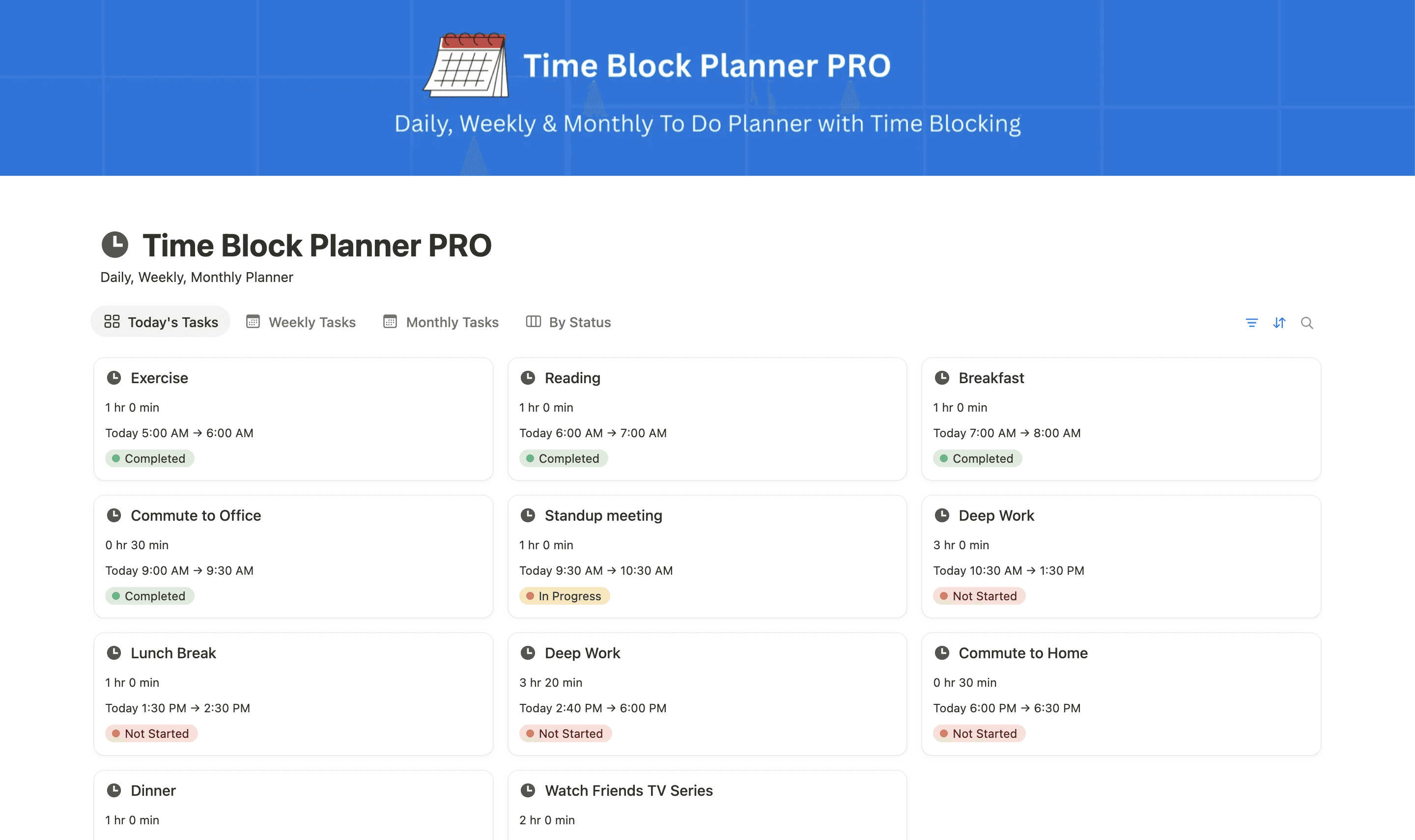
Daily Time Blocks
Give important tasks dedicated time. Plan focused work, meetings, study sessions, and breaks throughout your day.
Weekly Planning
See your commitments together and make space for project work, recurring activities, and personal plans.
Monthly Priorities
Keep upcoming goals and major commitments visible as you plan your weeks and days.
Customizable Workspace
Adapt the Notion layout to your routine, whether you are planning work, study, or personal time.
One-time purchase. Lifetime access.
Perfect if you only need this template only
Buy Now
Instant Duplicate Link after Purchase
Step by step guide included
Free future template updates
Beginner friendly structure
Instant Notion access link delivered via Gumroad email receipt.
BESTSELLER
Every premium template I've created, including the Time Block Planner
Best if you want a complete notion bundle
Includes all current & future templates, delivered via Gumroad.
One-time payment. Lifetime access.
Ultimate Content Creator OS
2027 Life Planner
Knowledge Base & Help Center
Time Block Planner
Personal Portfolio Website for Designers & Developers
CRM Tracker
2026 Expense Tracker - Monthly Expense Tracker
2025 Yearly Goal Tracker Vision Board
Daily OS - Daily Planner
KPI Tracker for Content Creators
Technical SEO Audit Checklist
SEO Backlink Tracker
2026 Goal Tracker
Professional Resume & CV
2026 Vision Board with Goals
Daily Planner, Weekly Planner & Monthly Planner
Christmas Gifts Planner & Tracker
Personal Portfolio & Resume for Job Seekers
Digital Product Pricing Calculator
100+ SEO AI Prompts
On-Page SEO Checklist for Blogs & Landing Pages
Internship Applications Tracker
Side Hustle & Passive Income Ideas
COMPLETE BUNDLE
Make Time for What Matters With Time Blocking in Notion
A busy task list can leave you unsure where to start. Time blocking gives each activity a place in your schedule, helping you decide what to work on and when.
This Notion time block template brings daily, weekly, and monthly planning into one workspace. Use it to reserve time for important projects, plan around fixed commitments, and include breaks before your day fills up.
How to Use the Notion Time Blocking Template
Start with the commitments you already know: meetings, classes, appointments, and personal plans. Then choose your priorities and assign them to the time you have available.
You might reserve a morning block for focused project work, group smaller tasks into an afternoon session, and leave space for a break. Adjust your plan when priorities change or a task takes longer than expected.
The aim is a useful schedule that reflects your day.
Connect Daily Time Blocks With Your Weekly Plan
Use the daily view to plan individual work sessions and the weekly view to see how your commitments fit together. This makes it easier to spread work across several days instead of leaving everything for one crowded afternoon.
The monthly view keeps larger priorities visible while you make those daily and weekly decisions.
A Time Block Planner for Work, Study, and Personal Routines
Creators and solopreneurs can set aside time for client work, creating, and administration. Professionals can plan focused sessions around meetings. Students can build a study schedule around classes and deadlines.
Whatever your routine, the template gives you a place to organize your time and revise your plan as the week develops.
Start With Your Next Day
Duplicate the template into Notion, follow the included setup guide, and plan your next day. Begin with a few important time blocks, then adjust the workspace as you learn what works for your routine.