Time Block Planner
Turn your priorities into a realistic schedule with dedicated time blocks for deep work, study, meetings, personal tasks, and breaks.
Plan your whole day in one Notion workspace
Time block your schedule, build habits, track expenses, journal, and reflect — all in one simple daily system.
What you get
INSIDE THE TEMPLATE
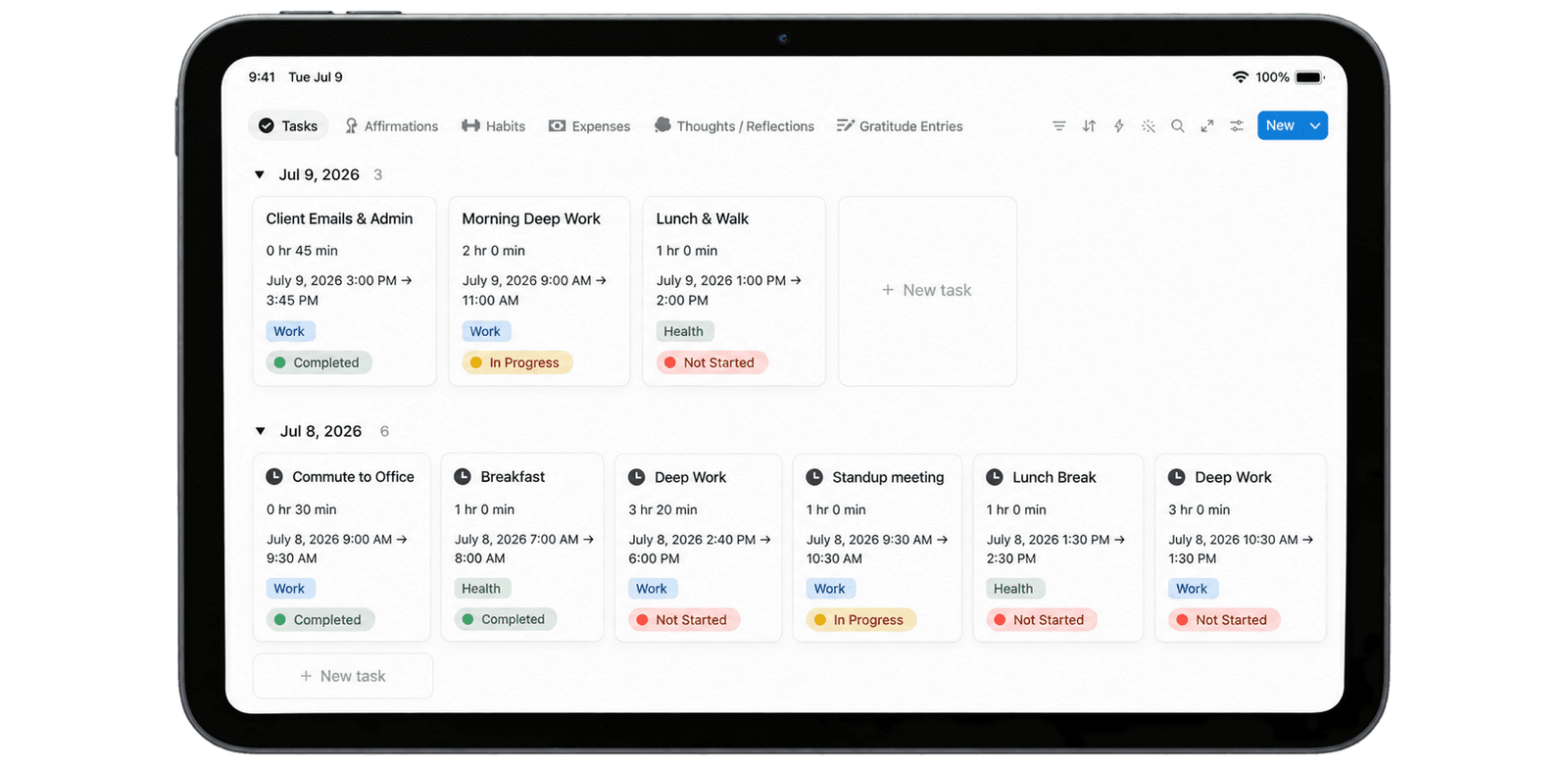
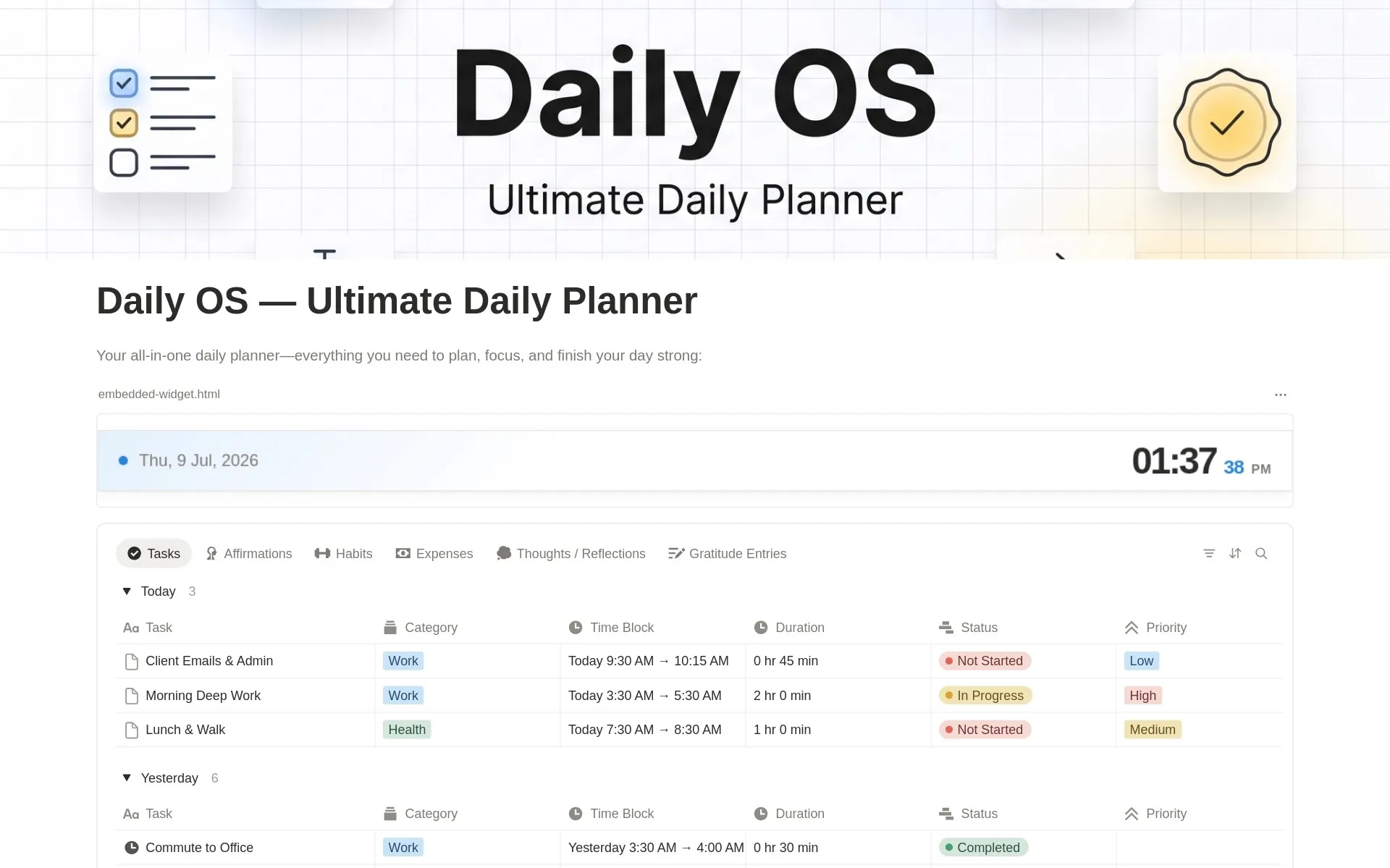
Daily OS combines the essential tools for planning, focus, habits, money awareness, and reflection into one connected Notion workspace.
Turn your priorities into a realistic schedule with dedicated time blocks for deep work, study, meetings, personal tasks, and breaks.
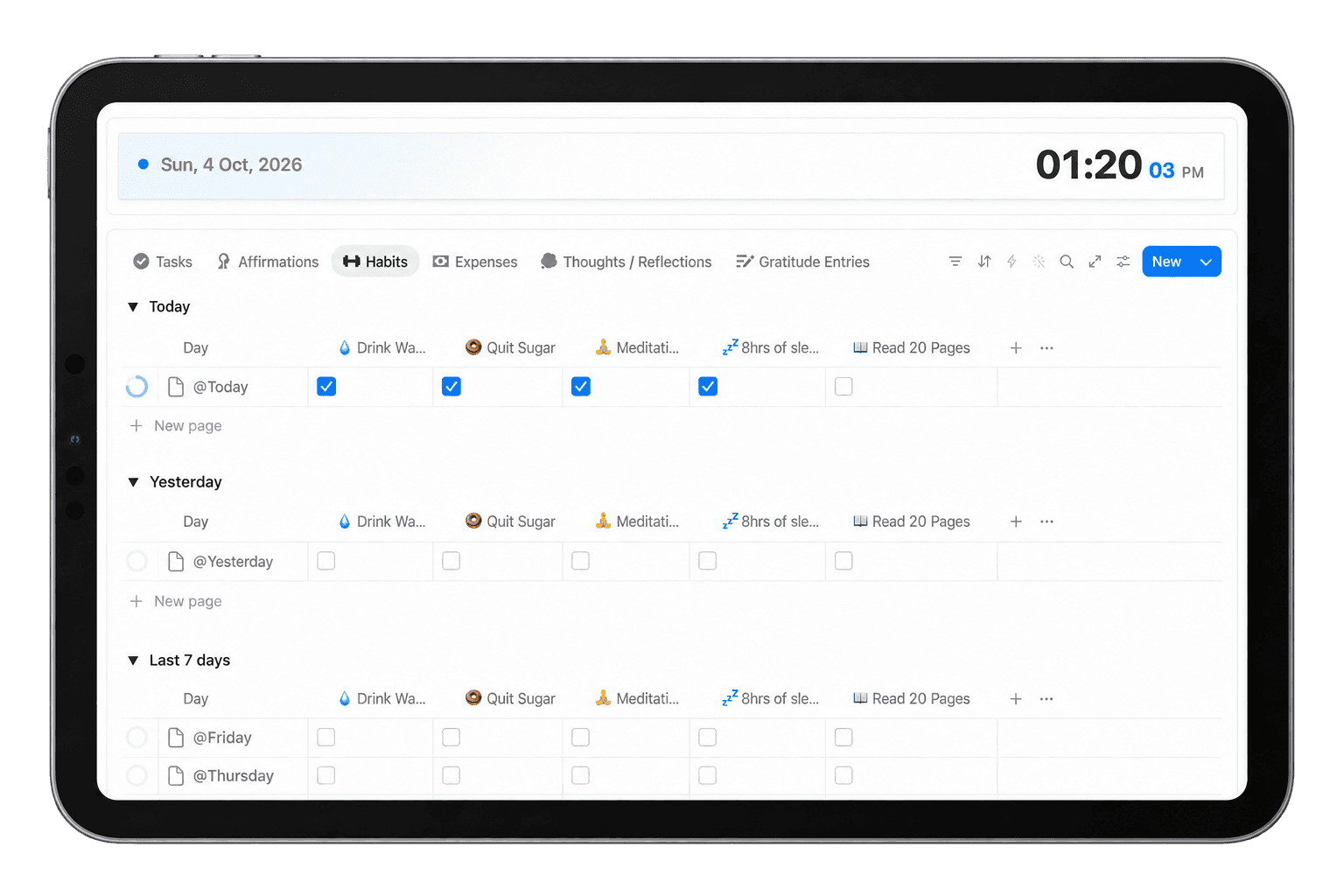
Track your daily habits with simple check-ins and monitor your consistency over time without needing a separate habit-tracking app.
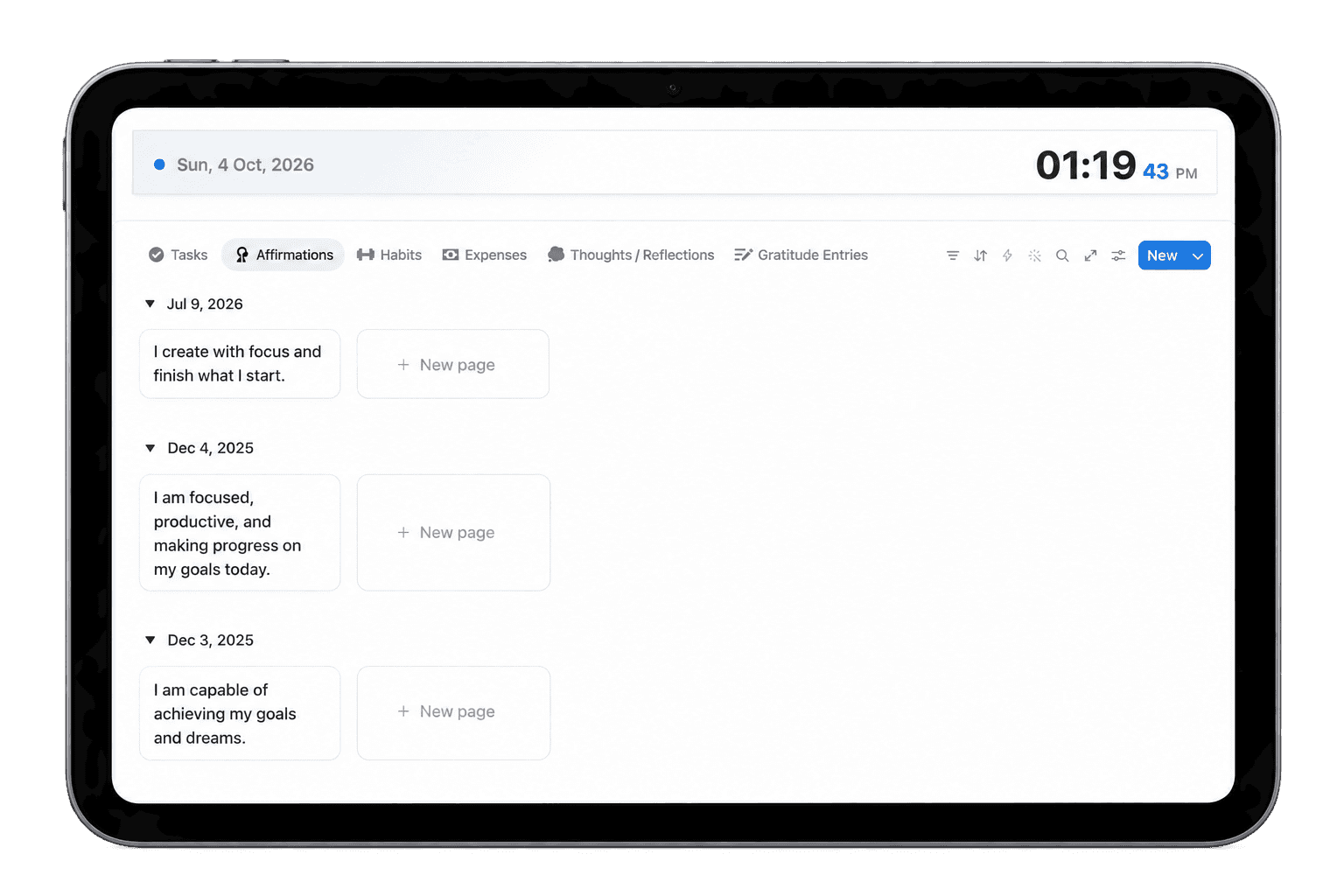
Write and revisit meaningful affirmations that help you begin your day with intention, confidence, and focus.
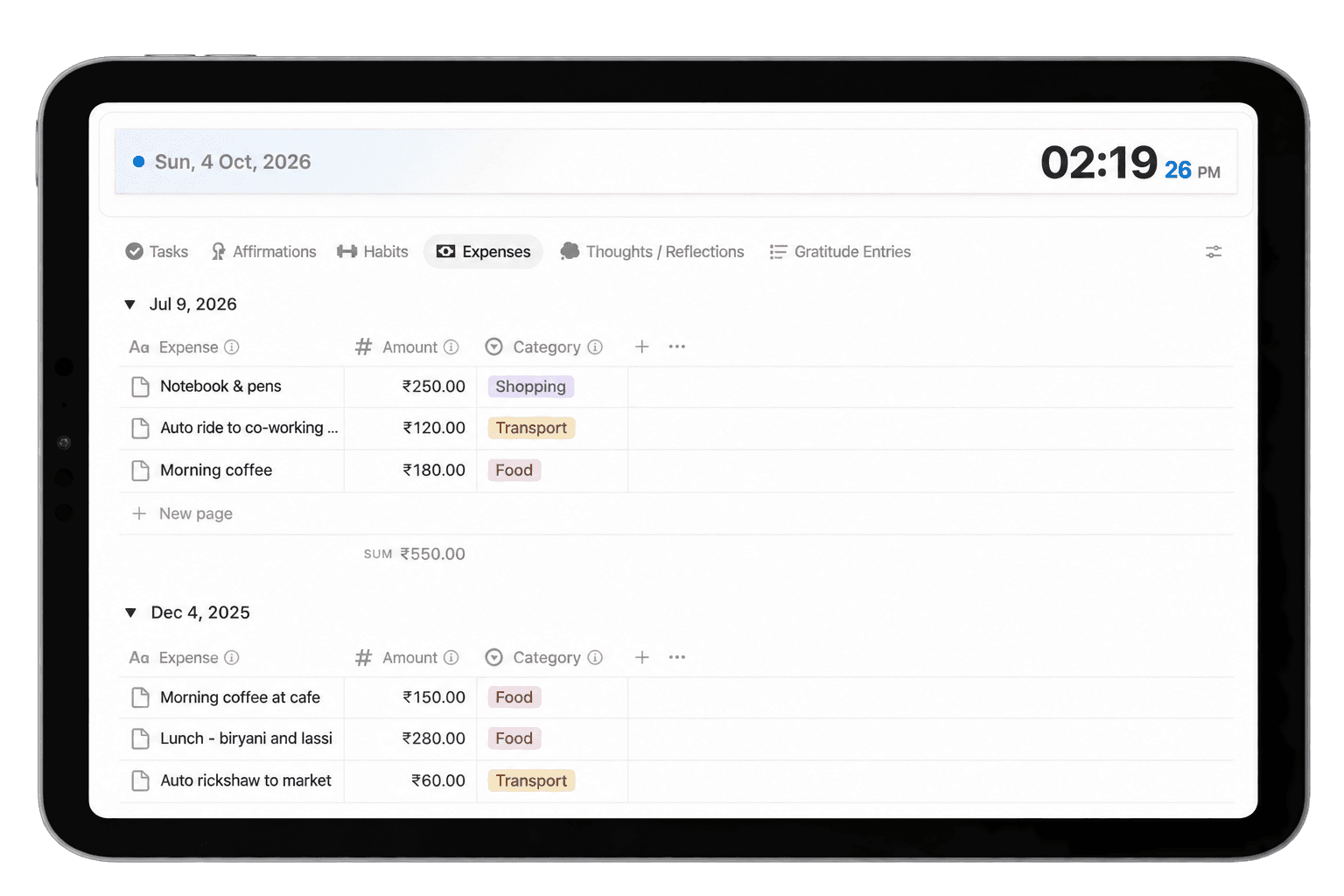
Quickly record everyday expenses inside your daily workspace and build better awareness of your spending habits.
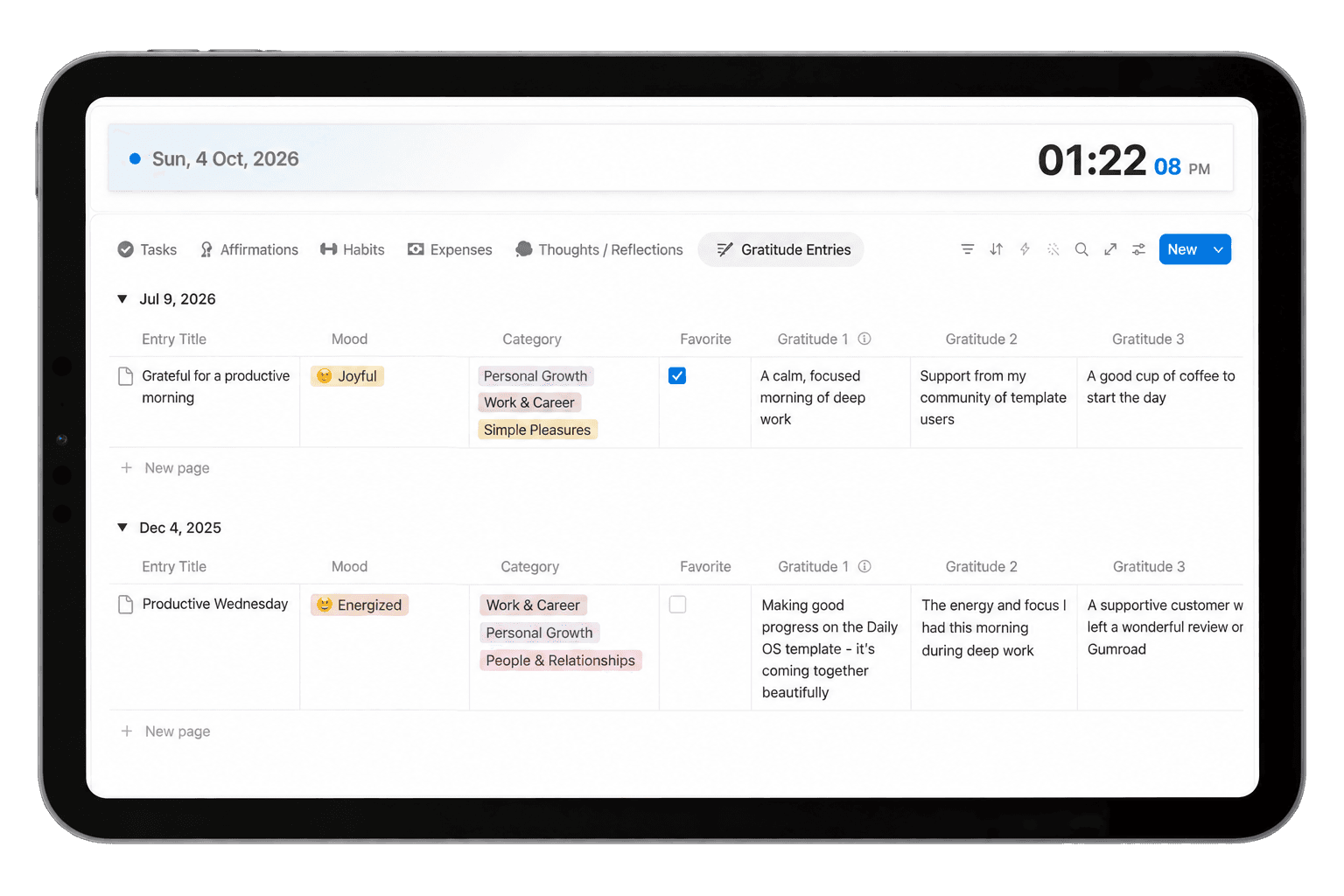
Capture the people, moments, experiences, and small wins you're grateful for and build a consistent daily gratitude practice.
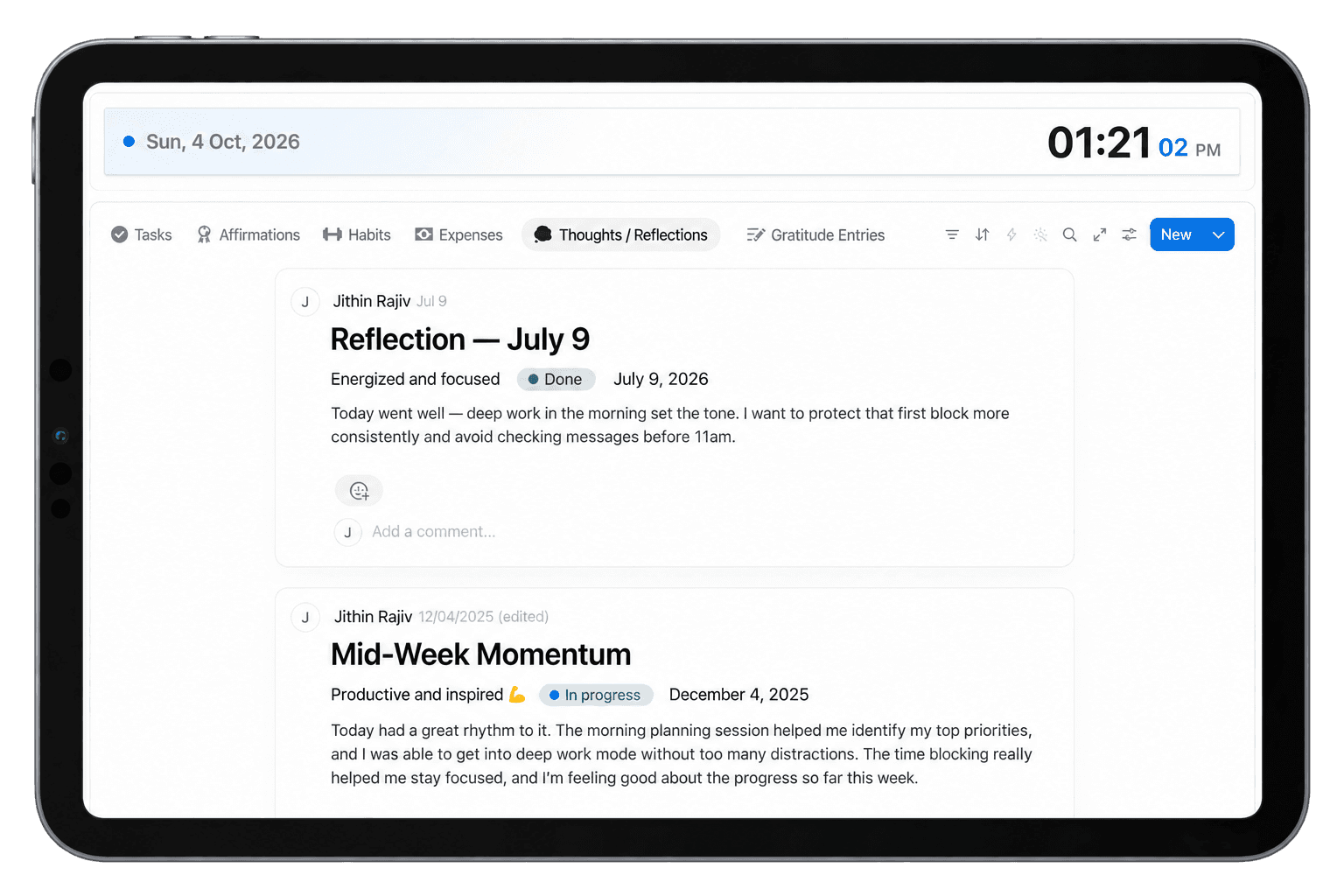
Record thoughts, lessons, achievements, ideas, and reflections so you can review your progress and learn from each day.
Planning your day shouldn't require five different productivity apps.
Daily OS is a Notion daily planner template that combines daily planning, time blocking, habit tracking, expense tracking, journaling, gratitude, affirmations, and reflection in one organized workspace.
Instead of keeping your schedule in one app, habits in another, expenses somewhere else, and daily notes scattered across multiple pages, Daily OS gives you one central place to manage the parts of your day that matter most.
Whether you're planning a productive workday, organizing study sessions, building healthier routines, or simply trying to become more intentional with your time, Daily OS gives you a repeatable system you can return to every day.
A long to-do list tells you what needs to get done. It doesn't tell you when you're going to do it.
Daily OS includes a built-in Notion time block planner that helps you turn tasks and priorities into a realistic daily schedule.
Plan your day hour by hour and create dedicated blocks for focused work, study, meetings, errands, exercise, breaks, or personal projects. Seeing your day as a schedule makes it easier to protect important work and avoid filling your time with low-priority tasks.
Because your time blocking system lives inside the same Notion daily planner as the rest of your workflow, you don't need to constantly switch between your task list and calendar-style planning tools.
Consistency usually matters more than intensity.
The Daily OS habit tracker gives you a simple place to record the habits you're working on and complete daily check-ins as part of your normal planning routine.
You can customize your habits around health, learning, productivity, mindfulness, fitness, or any routine that matters to you.
Instead of treating habit tracking as a completely separate system, Daily OS keeps it alongside your daily plan so your routines stay visible while you're organizing your day.
Small expenses can easily disappear from memory.
Daily OS includes a simple daily expense tracker so you can quickly record purchases and build a clearer picture of your everyday spending.
The goal isn't to turn your daily planner into complicated accounting software. It's to make expense awareness part of your normal daily routine.
When your schedule, habits, notes, and spending are accessible from the same dashboard, you're more likely to keep each system updated consistently.
Productivity isn't only about completing more tasks.
Taking a few minutes to reflect can help you understand what worked, what didn't, and what you want to change tomorrow.
Daily OS gives you dedicated space for daily reflections and notes, allowing you to record achievements, lessons, ideas, thoughts, and important moments from your day.
You can also maintain a daily gratitude journal and capture the things you're thankful for.
Combined with daily affirmations, these tools make Daily OS more than a task planner. It becomes a workspace for planning both what you do and how you want to approach your day.
Your daily routine may currently be spread across several tools:
Daily OS brings these daily workflows together inside Notion.
Your time block planner helps organize your schedule. Your habit tracker keeps routines visible. Your expense tracker helps you stay mindful of spending. Your gratitude journal and reflections give you space to slow down and review your day.
Everything remains accessible from one connected workspace.
That means less time maintaining your productivity system and more time actually using it.
Daily OS is flexible enough to work for different types of users.
Students can plan classes, study blocks, assignments, habits, and personal routines.
Professionals can organize focused work, meetings, daily priorities, and personal goals.
Freelancers can structure client work, administrative tasks, deep-work sessions, and everyday routines.
Solopreneurs and creators can organize their working day while keeping habits, notes, expenses, and reflections close at hand.
And because Daily OS is fully customizable in Notion, you can adapt the system as your routine changes.
A productivity system only works when it's easy enough to keep using.
Daily OS is designed around everyday planning rather than complicated setup.
You don't need to build databases from scratch or spend hours maintaining a complex dashboard. Duplicate the template into your Notion workspace, customize it to suit your routine, and start planning.
There are no yearly resets required, so your Daily OS can continue evolving with you.
If you want a Notion daily planner that does more than manage a basic to-do list, Daily OS gives you a complete daily system in one workspace.
Plan your schedule with time blocking. Build better habits. Track your everyday expenses. Practice gratitude. Capture your thoughts. Reflect on your progress.
Plan with clarity. Build better routines. Make every day count with Daily OS.
Start with one template, or unlock the full library—including future releases.
You’re viewing this template
$8.40$12$12
Time block your schedule, build habits, track expenses, journal, and reflect — all in one simple daily system.
All templates, one payment Best value
$48.30$69$69
One price for every template. Keep growing your workspace with each new release.
Before you get started
Answers to help you choose with confidence.
A Notion daily planner template is a ready-made page that you duplicate into Notion to plan each day. Daily OS adds time blocking, habits, expenses, journaling, and reflection to your daily plan.
Daily OS is an all-in-one Notion daily planner template that brings your daily schedule, time blocking, habits, affirmations, expenses, gratitude, notes, and reflections together in one workspace. It is designed to help you plan your day with intention and build consistent daily routines.
Daily OS includes a time block planner, habit tracker, daily affirmations, daily expense tracker, gratitude journal, daily reflections, and space for notes. Everything is connected through one organized Notion dashboard for everyday planning.
Yes. Daily OS includes a built-in time block planner that lets you organize your day hour by hour. You can use it to schedule focused work, study sessions, meetings, personal tasks, breaks, and other daily activities.
Yes. The built-in habit tracker lets you check off your habits each day and monitor your consistency over time. You can customize the habits to match your personal routines and goals.
Yes. Daily OS includes a simple daily expense tracker for recording your spending and building awareness of where your money goes. It is designed for everyday expense tracking rather than complex accounting or budgeting.
Yes. You can record daily reflections, thoughts, lessons learned, achievements, and notes directly inside Daily OS. There is also a gratitude journal to help you build a consistent gratitude practice.
Yes. Daily OS is fully customizable inside Notion. You can change categories, habits, views, labels, layouts, and other elements to fit the way you prefer to plan your day.
Yes. Because Daily OS is built in Notion, you can access your planner through Notion on desktop, tablet, and mobile devices. Some layouts may be easier to manage on a larger screen, while daily check-ins can still be completed from mobile.
Yes. Daily OS is designed to be beginner-friendly and includes documentation to help you set up and use the template. You do not need to build complicated databases or productivity systems from scratch.
No. You can use Daily OS with a free Notion account for normal personal use.
No. Daily OS is designed for ongoing daily use rather than being tied to a specific year, so you can continue using and customizing the same system over time.
Yes. Daily OS works as a daily productivity dashboard in Notion. Time blocking, habits, expenses, gratitude, notes and reflection live in one workspace, so you can plan and review your day without switching between tools.
Get the template, duplicate it into Notion, and shape it around the way you work.
Digital product · Return policy
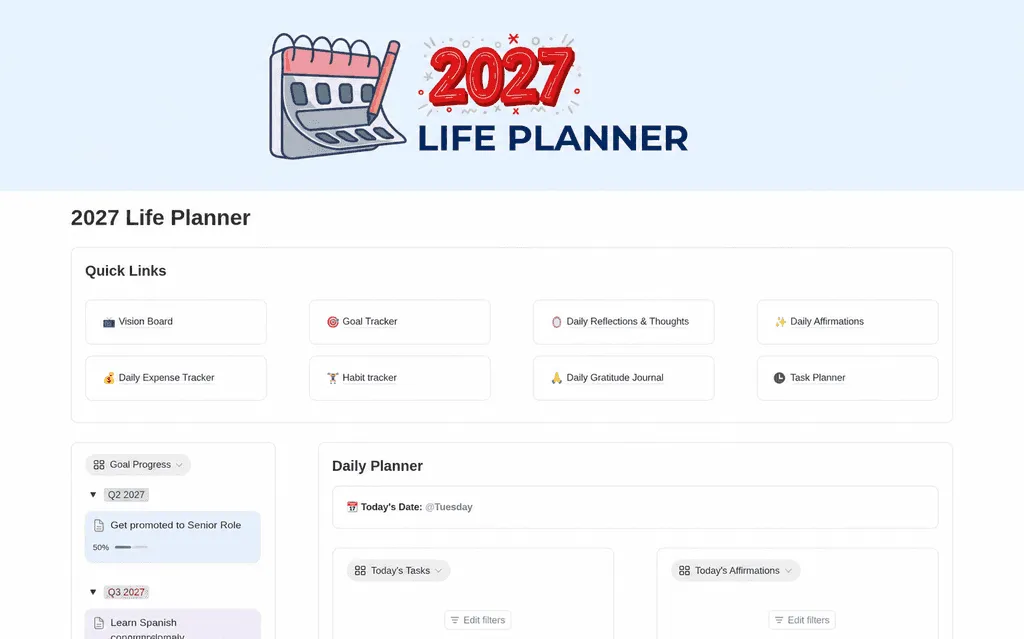 30% offNotion Planner Templates2027 Life PlannerMake room for what matters in 2027. Organize your goals, daily tasks, habits, reflections, and expenses with a Notion life planner that brings your year into focus.$13.30
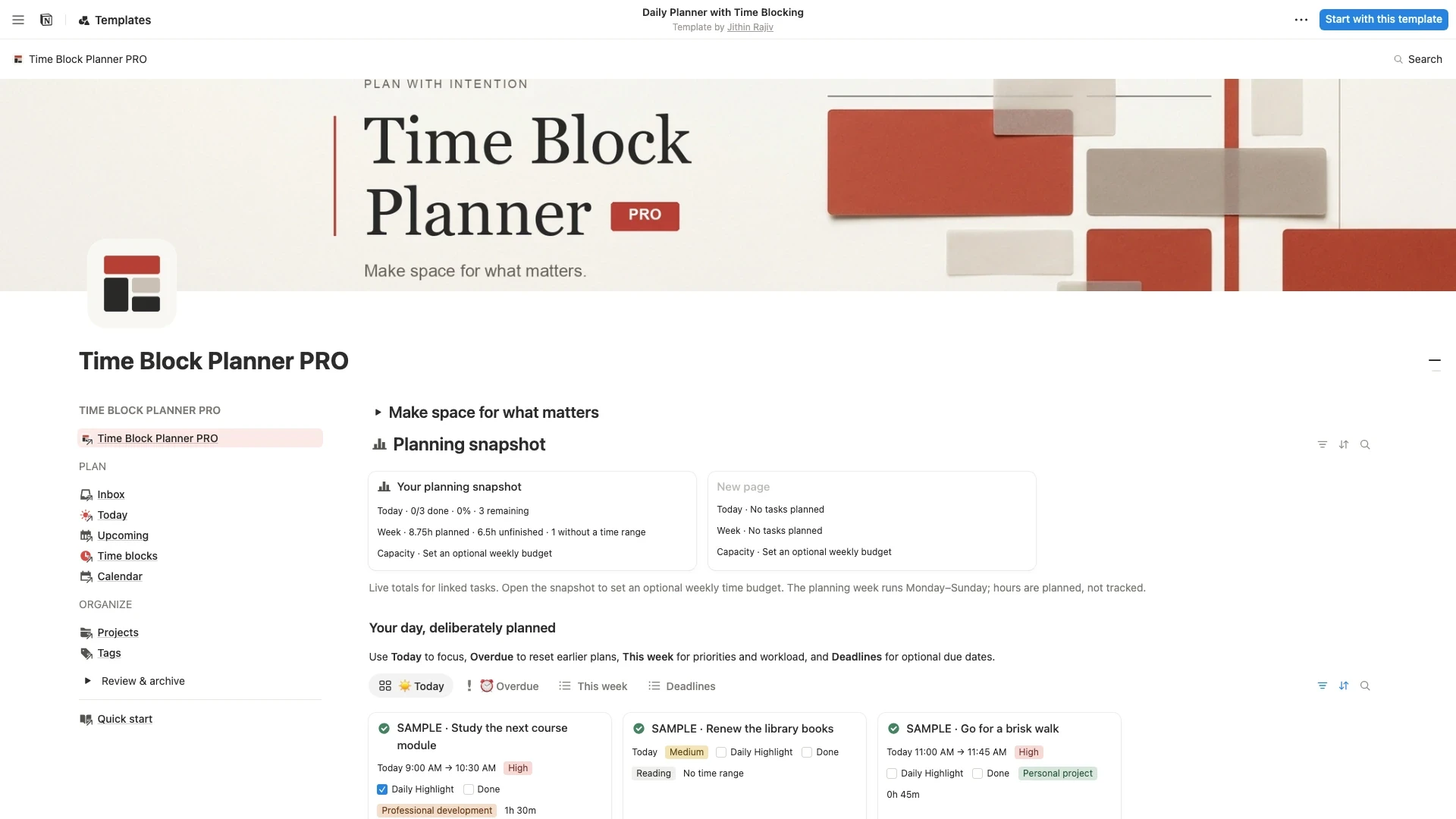 30% offNotion Planner TemplatesTime Block Planner PROTurn a busy to-do list into a realistic day. Capture tasks, choose one Daily Highlight, and plan focused sessions with a Notion time blocking template for work, study, and life.$6.30
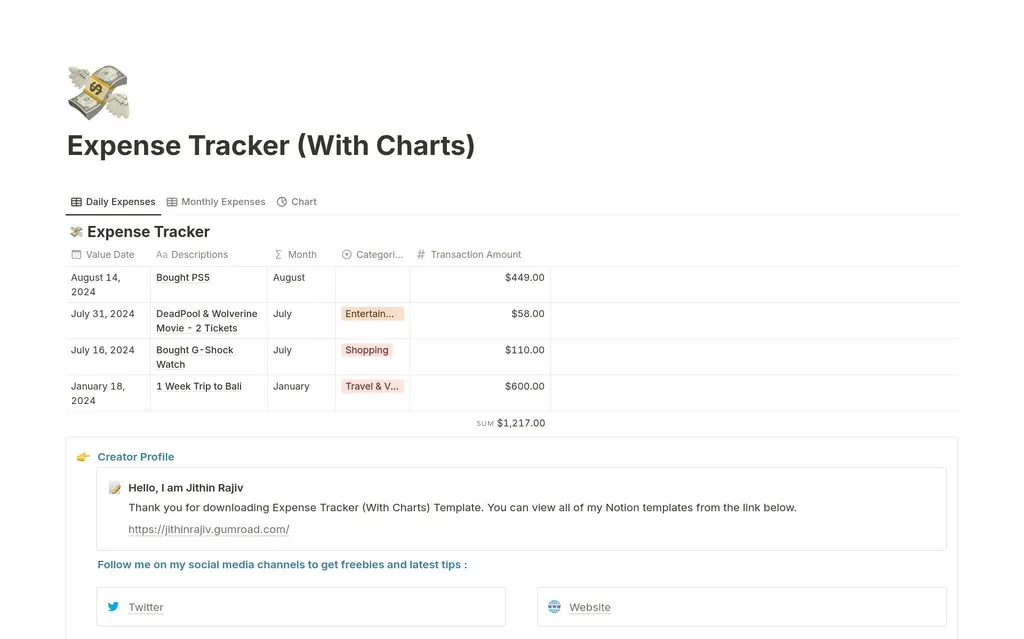 30% offStudents2026 Expense Tracker - Monthly Expense TrackerKnow exactly where your money goes in 2026. Track daily and monthly expenses, budgets, and spending categories in one simple Notion dashboard.$4.90
Daily OS - Daily Planner
$8.40$12$12 · 30% off