Inbox and Quick Capture
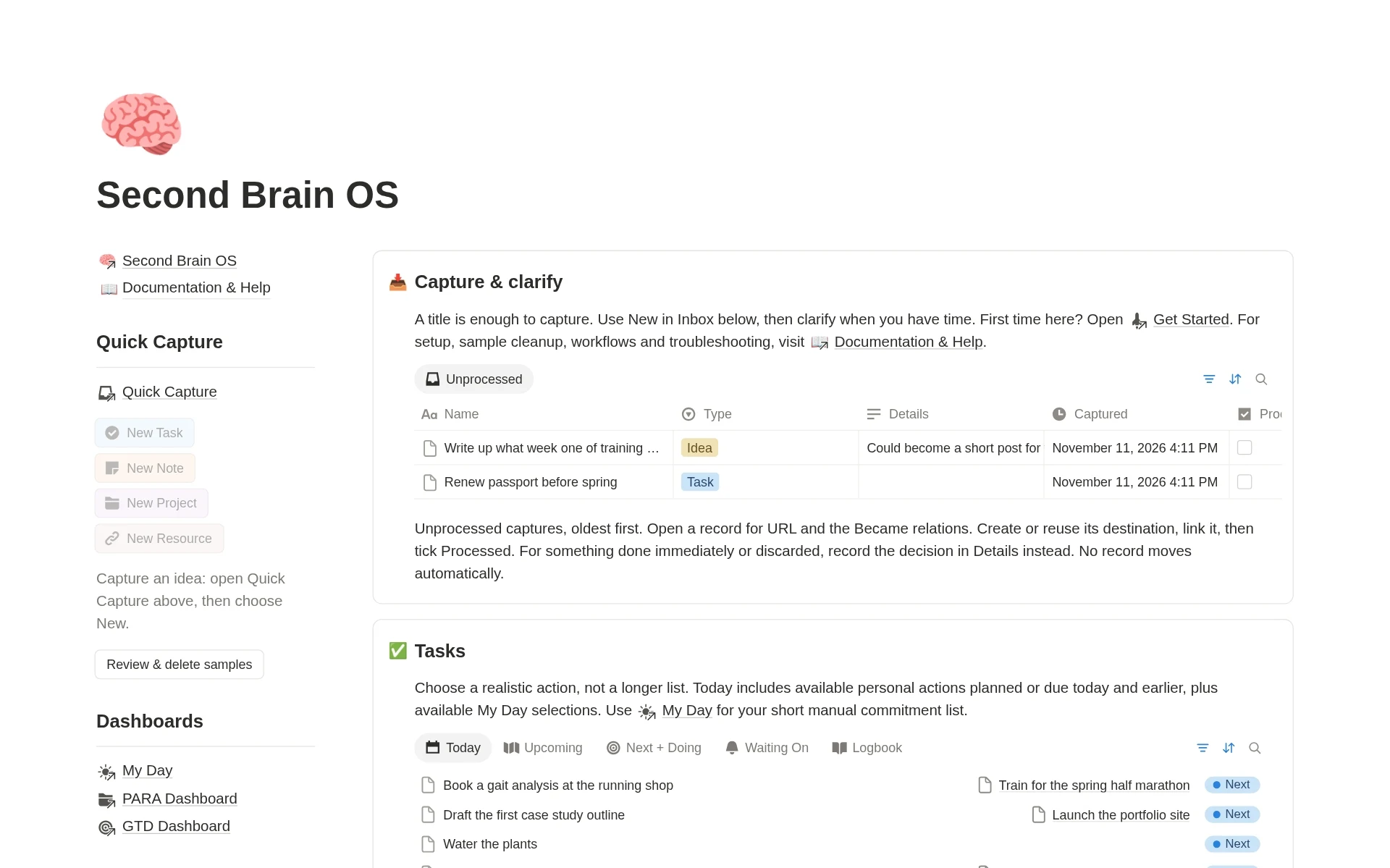
Save ideas, links and commitments first, then decide what they become. When you are ready, link a capture to a task, project, note or reference and mark it Processed.
Second Brain OS brings tasks, projects, notes and resources together in Notion. Capture an idea, link it to your work, and choose your next action.
What you get
INSIDE THE TEMPLATE
Second Brain OS is built on connected Notion databases, so notes, sources, projects and tasks can link to each other instead of living on separate pages.
Save ideas, links and commitments first, then decide what they become. When you are ready, link a capture to a task, project, note or reference and mark it Processed.
Choose a short list of tasks for today and organize them by energy. Review what you finished and reset leftover selections on purpose.
Organize work by how useful it is. Projects have a finish line, Areas are ongoing responsibilities, Resources hold supporting knowledge, and the Archive holds inactive material.
An optional layer for clarifying commitments, reviewing next actions and waiting items, and choosing what to work on next.
Tasks have statuses, priority, energy, effort and separate dates for planning, deadlines, snoozing and follow-ups. Projects link to their tasks and notes, and Goals can summarize linked Key Results.
Keep Notes, Notebooks, Topics and Highlights in one place and link them to the projects and areas they support, so research stays close to the work.
One shared library for articles, books, videos, podcasts, courses, newsletters, papers, documents, websites, datasets, tools and templates, with reading queues and favorites.
Record daily priorities, habits, mood and lessons, then review your commitments, projects, areas and knowledge each week and set next week's focus.
Notes and bookmarks are easy to collect and hard to use. They sit in one place, while your tasks and projects sit in another.
Second Brain OS is a second brain Notion template that connects what you save with what you need to do. Notes, sources, projects and tasks live in one workspace and link to each other, so useful knowledge stays close to the work it supports.
It works as a PARA Notion template for organizing information into Projects, Areas, Resources and Archive, with an optional GTD dashboard for managing actions. You do not need to know either method to use it.
The workspace supports a simple cycle:
Here is how that looks in practice. You capture "Refresh my portfolio." You create a project called "Publish three case studies" and add "Outline the first case study" as its next task. You connect a research note and a few sources to the project, pick the task in My Day, use the research to write the outline, and check the project again in your weekly review.
The Inbox gives every idea a place to land before you decide what it is. Save a thought in seconds, then process it when you have time. Processing is manual: you create or reuse a destination, link it, and mark the capture as Processed.
My Day is a short list of tasks you choose on purpose. Dedicated task screens such as Today, Next Actions, Waiting On, Upcoming, Task Board, Task Calendar and Someday all use the same task database, so you are never managing separate task systems.
Dates stay separate so each one means one thing: Do Date for when you plan to work, Due for a real deadline, Snooze until for when a task becomes available, and Follow up for checking on delegated work.
Link Notes to Projects, Areas and Topics, and save selected passages as Highlights connected to their sources. The Resource Library organizes your own articles, books, videos, podcasts and more, with reading queues and favorites. Save a useful takeaway rather than everything you read.
The Daily Journal and Weekly Reviews help you look back at wins, lessons, commitments and projects, and decide next week's focus. Maintenance views help you spot unclarified tasks, overdue deadlines and leftover My Day selections.
Using Notion as a second brain comes down to three habits: capture quickly, connect what you capture to something useful, and review it regularly. Second Brain OS builds those habits into the workspace.
Save everything to the Inbox first. Link each capture to a project, area, topic or note when you process it. Then use the PARA dashboard to see your work by usefulness and the GTD dashboard to decide what to do next. Weekly Reviews bring it all together so older notes and sources do not get lost.
PARA answers "where does this belong?" and GTD answers "what should I do next?". Second Brain OS includes both: a PARA dashboard for Projects, Areas, Resources and Archive, and an optional GTD dashboard for clarifying commitments and reviewing next actions and waiting items. Both read from the same databases, so you keep one system rather than two.
Second Brain OS is for people who want a ready-made structure instead of building connected databases from scratch:
The workspace has several connected modules, and that is by design. Begin with the Inbox, Projects, Tasks and My Day, and add the rest when you need it. The template includes a Get Started guide, a first-ten-minutes walkthrough, a Capture Guide, daily and weekly workflow pages, a setup and sample cleanup guide, and example records that show how the databases connect.
Second Brain OS is a digital Notion template and requires a Notion account. Inbox processing and My Day planning are manual. It does not generate recurring tasks, sync with external calendars, email or reading apps, or include a built-in AI assistant. The Resource Library examples demonstrate organization and are not a supplied content library.
Questions about the template? Email templates@jithinrajiv.com.
If you also want a daily schedule, Daily OS adds time blocking, habits and daily reflection. For creative work, Ultimate Content Creator OS covers content planning. For the year ahead, see the 2027 Life Planner. You can also browse all Notion planner templates.
Capture what matters. Connect it to your work. Take the next useful step.
Duplicate it into Notion and start with one project, one note and one next action.
You’re viewing this template
$20.30$29$29
A connected Notion workspace for tasks, projects, notes and resources, with PARA and GTD dashboards, daily planning and weekly reviews.
All templates, one payment Best value
$48.30$69$69
One price for every template. Keep growing your workspace with each new release.
Before you get started
Answers to help you choose with confidence.
Second Brain OS is a Notion template that connects your tasks, projects, notes and resources in one workspace. You capture ideas in an Inbox, link them to the work they support, choose next actions in My Day, and review everything in a weekly review.
Capture ideas quickly in an Inbox, link each one to a project, area, topic or note, choose next actions, and review weekly. Second Brain OS gives you those databases and views already connected, so you can start with the Inbox, Projects, Tasks and My Day and add the rest later.
A second brain is a system for keeping your ideas, notes and sources outside your head so you can find and use them later. Second Brain OS builds that system in Notion and links it to your projects and tasks, so saved knowledge stays close to the work it supports.
Yes. It includes a PARA dashboard for Projects, Areas, Resources and Archive, and an optional GTD dashboard for clarifying commitments and reviewing next actions and waiting items. You do not need to know either method to use it.
Home, My Day, PARA and GTD dashboards; an Inbox; Tasks, Projects, Areas and Goals; Notes, Notebooks, Highlights, Topics and a Knowledge Hub; a shared Resource Library; a Daily Journal, People and Weekly Reviews. It also includes a Get Started guide, setup documentation, troubleshooting help and example records.
The workspace has several connected modules, so it helps to start small. You can begin with only the Inbox, Projects, Tasks and My Day, and add the other modules when you need them. A Get Started guide, a first-ten-minutes walkthrough and a setup and sample cleanup guide are included.
No. Inbox processing is manual. You decide what each capture becomes, create or reuse a destination such as a task, project or note, link it, and then mark the capture as Processed. Relations connect records but do not create or move them for you.
My Day is a short list of tasks you choose to work on today. The guidance is to pick up to three, but the limit is not enforced. Unfinished selections do not reset overnight, so you decide what to keep and what to clear.
No. Repeat is a frequency label on a task. It does not create future tasks automatically.
Do Date is when you plan to work on a task. Due is a real deadline. Snooze until is when the task should become available. Follow up is when to check on something you delegated. Completed records when the task was actually finished.
No. The calendars and agenda are views of your Notion databases, not external calendar sync. Calendar, email and reading-app integrations are not included.
No. Second Brain OS does not include a built-in AI assistant or automatic summaries. Notes and summaries are written by you.
No. The Resource Library is an organized place for your own sources. The examples show how to organize them and are not a supplied content library.
Yes. This is a digital Notion template. You duplicate it into your own Notion workspace and customize it there.
Yes. Email templates@jithinrajiv.com with template questions. The template also includes a Documentation & Help section and an FAQ & Troubleshooting page.
Get the template, duplicate it into Notion, and start with one project, one useful note and one next action.
Digital product · Return policy
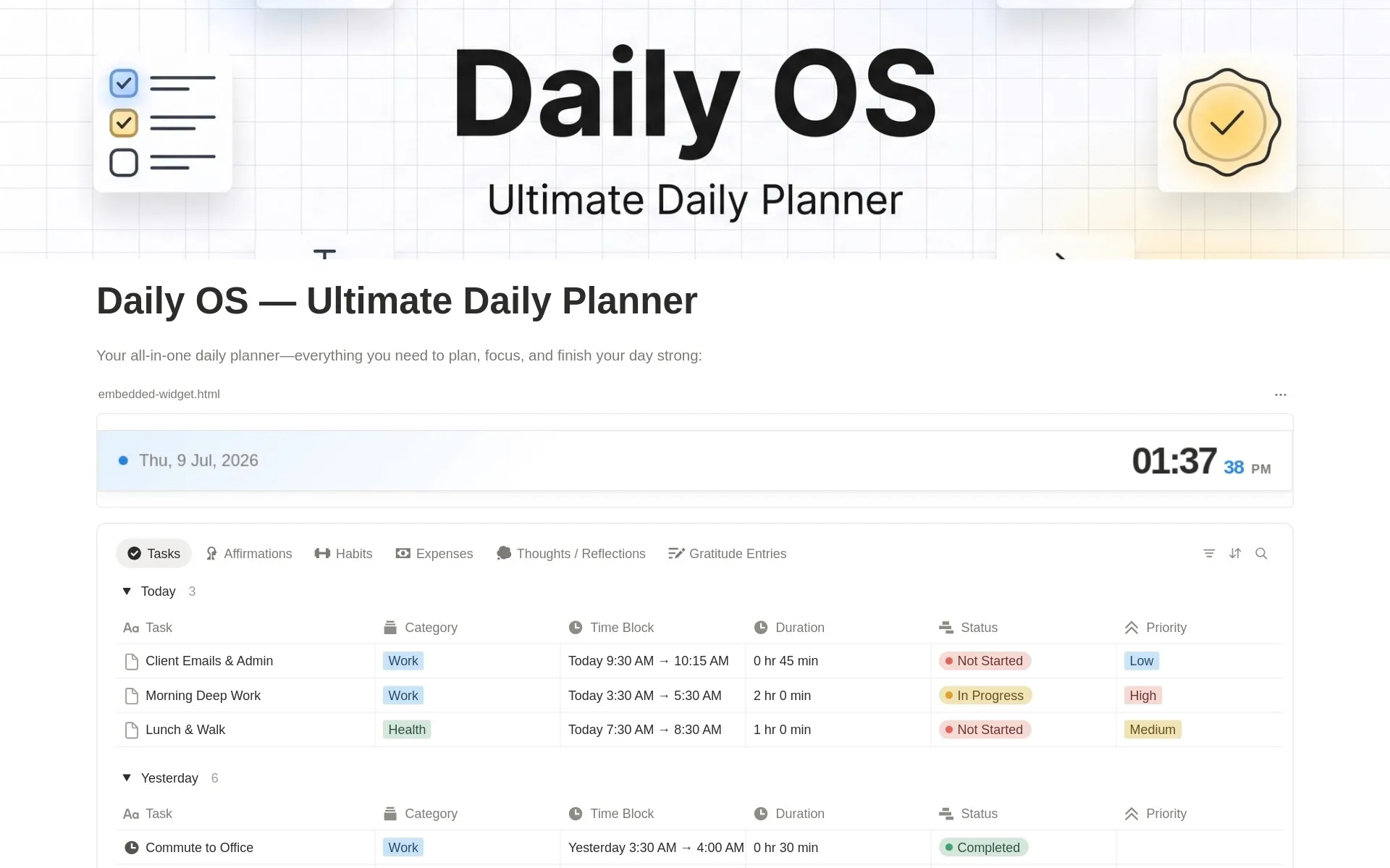
Time block your schedule, build habits, track expenses, journal, and reflect — all in one simple daily system.
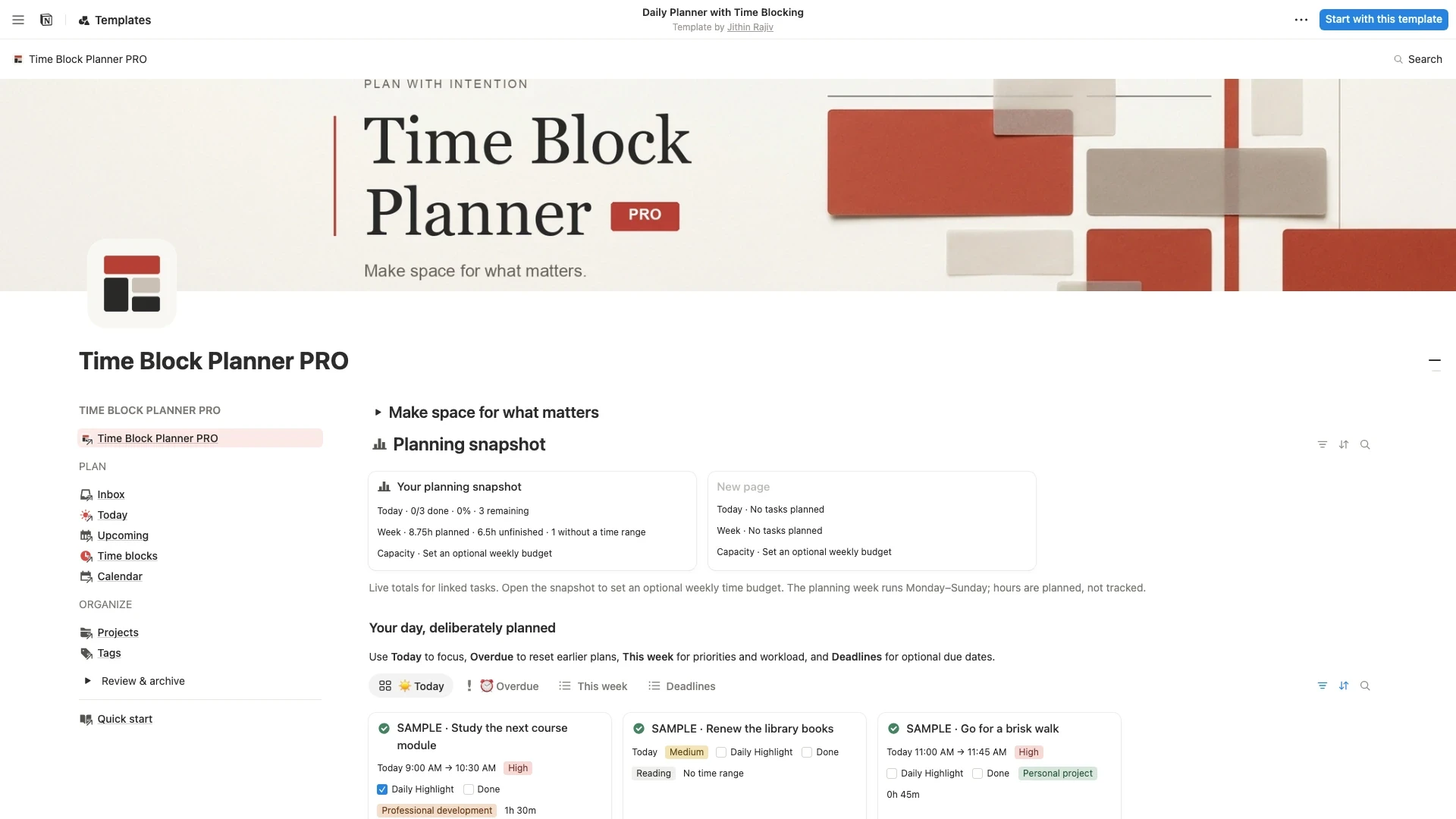
Turn a busy to-do list into a realistic day. Capture tasks, choose one Daily Highlight, and plan focused sessions with a Notion time blocking template for work, study, and life.
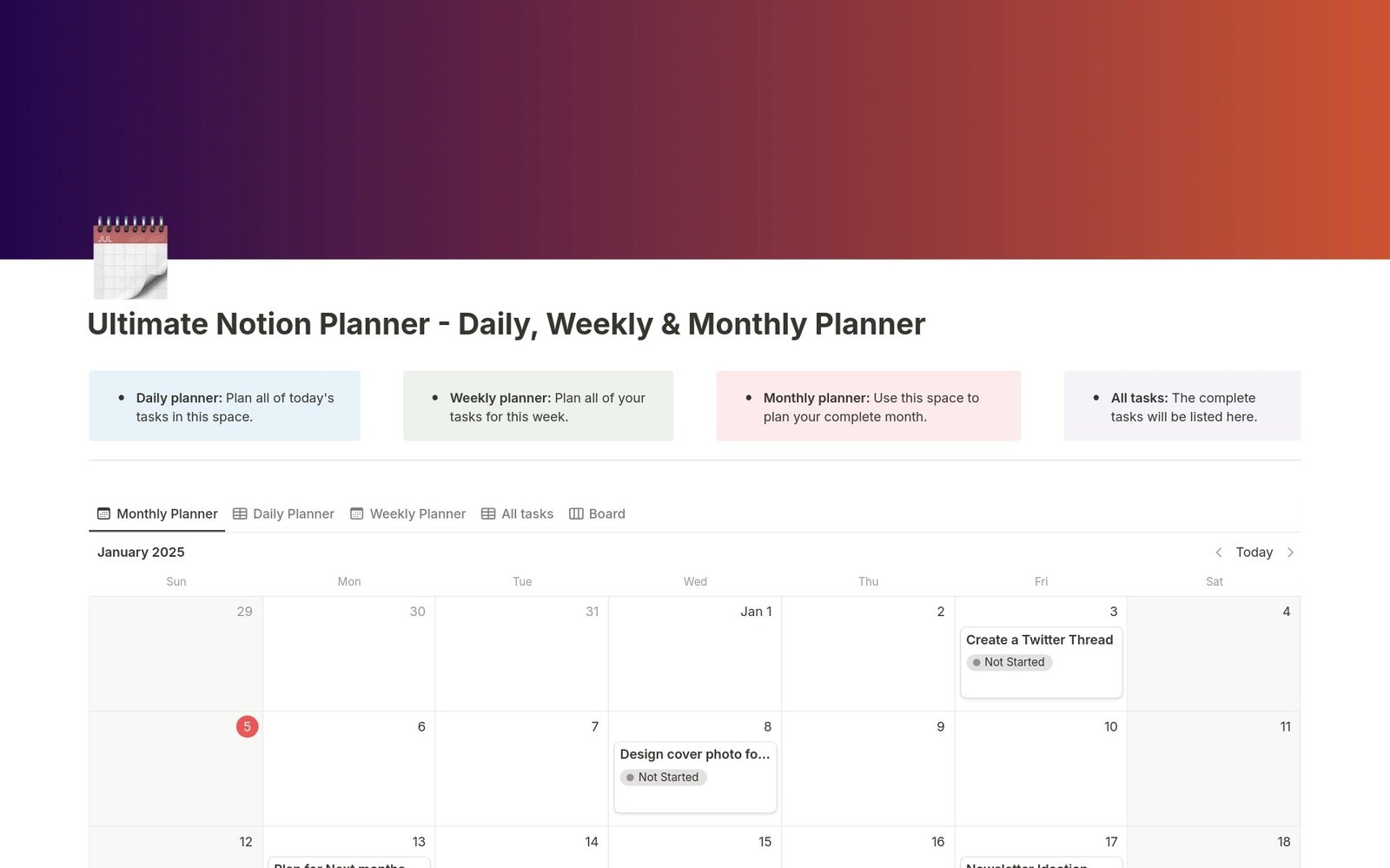
One interconnected Notion planner for your days, weeks, and months. Plan tasks, review progress, and stay organized in a single dashboard.
Second Brain OS - PARA & GTD
$20.30$29$29 · 30% off